Embed a Relavanti Travel Widget on Your Website
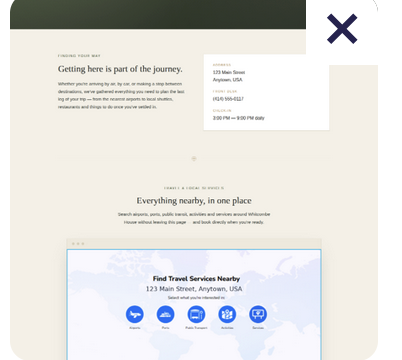
With a Relavanti widget embedded on your business or organization website, your guests can easily find and book relevant travel and tourism services nearby your location. This includes nearby airports and seaports, public transportation, hotels and other accommodations, activities, restaurants and car rentals.
There's no need to spend time explaining to your guests or visitors where to stay or eat, or which airport is the closest. Instead, you can simply refer them to your website for all the information. Your website's "Visit Us" or "Contact" pages are great places to embed the travel widget!
What's the difference between a Relavanti travel widget and a Relavanti dedicated travel website?
Relavanti's travel widget provides location-based information similar to the dedicated travel websites for Weddings, Events, Visitors or Vacation Rentals.
The difference:
- The dedicated travel website is shared with your guests or visitors as a link or QR code, which can be easily added to a website, email or wedding invitation.
- The travel widget is embedded on your website as HTML code, allowing guests or visitors to find and book services directly on your website.
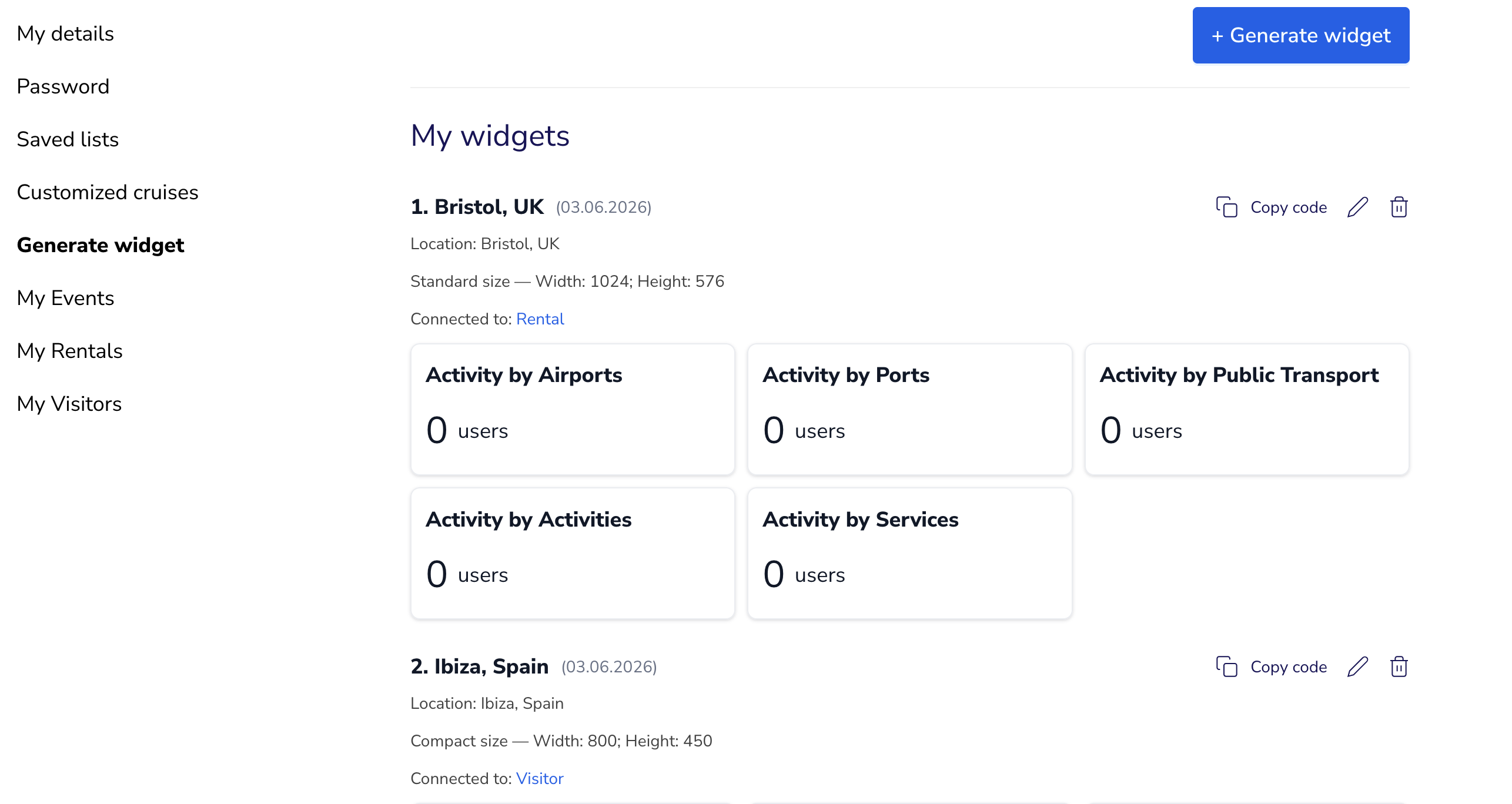
To embed the widget on your website, follow the following steps (see screenshot below):
- Visit Relavanti and sign up for a profile (or sign in to your existing profile).
- Then, enter your profile.
- Inside your profile, look on the left side of the screen for the button to "Generate Widget".
- To generate the widget, start by giving your widget a name, such as "Visit Us Travel Widget."
- Then, add the location (specific address) of your business, organization, event or vacation rental.
- Choose the size of the widget you'd like to generate. Although Relavanti offers three preset sizes, you can change the sizes in the code to make it a perfect fit for your website (if you know a bit of HTML). Whichever size you choose, Relavanti's widgets are dynamic and will fit laptop screens, mobile phones and tablets.
- Optional: If you already have a dedicated travel website for a wedding, event, for visitors or a vacation rental, you can connect your widget and the dedicated website and earn a share of commissions whichever way the traveler chooses to book. Click on the button for the travel website of your choice, enter the 6-digit code and then click on "Check". Once the code has been confirmed, your widget is now connected to your dedicated travel website.
- Click on "Generate" and then "Copy Code" to get your html code, which you can then embed on your website.
We sincerely hope you and your visitors/guests find the Relavanti travel widget to be useful.
Cheers!